

New suppliers take weeks
Requests start in email threads. Tax and bank details are retyped from PDFs, and each approver waits for the one before.
Supply360 runs every step from the first supplier request to the last payment, on SAP S/4HANA.
Built on SAP BTP by TechOrbit, an SAP Gold Partner.
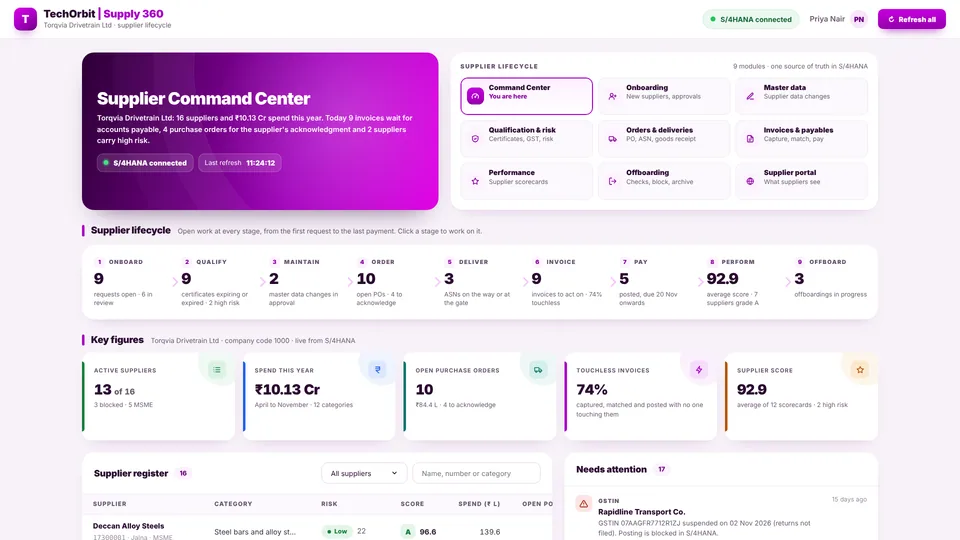
Supply360 sits on top of SAP S/4HANA. Procurement, finance, quality and accounts payable work from one supplier record, and suppliers get a portal of their own. S/4HANA stays the system of record.

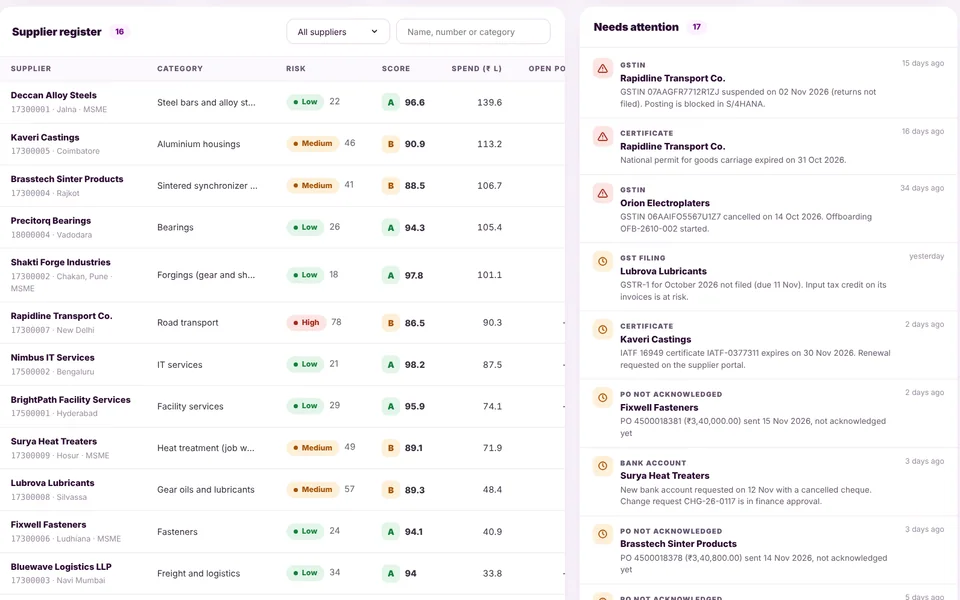
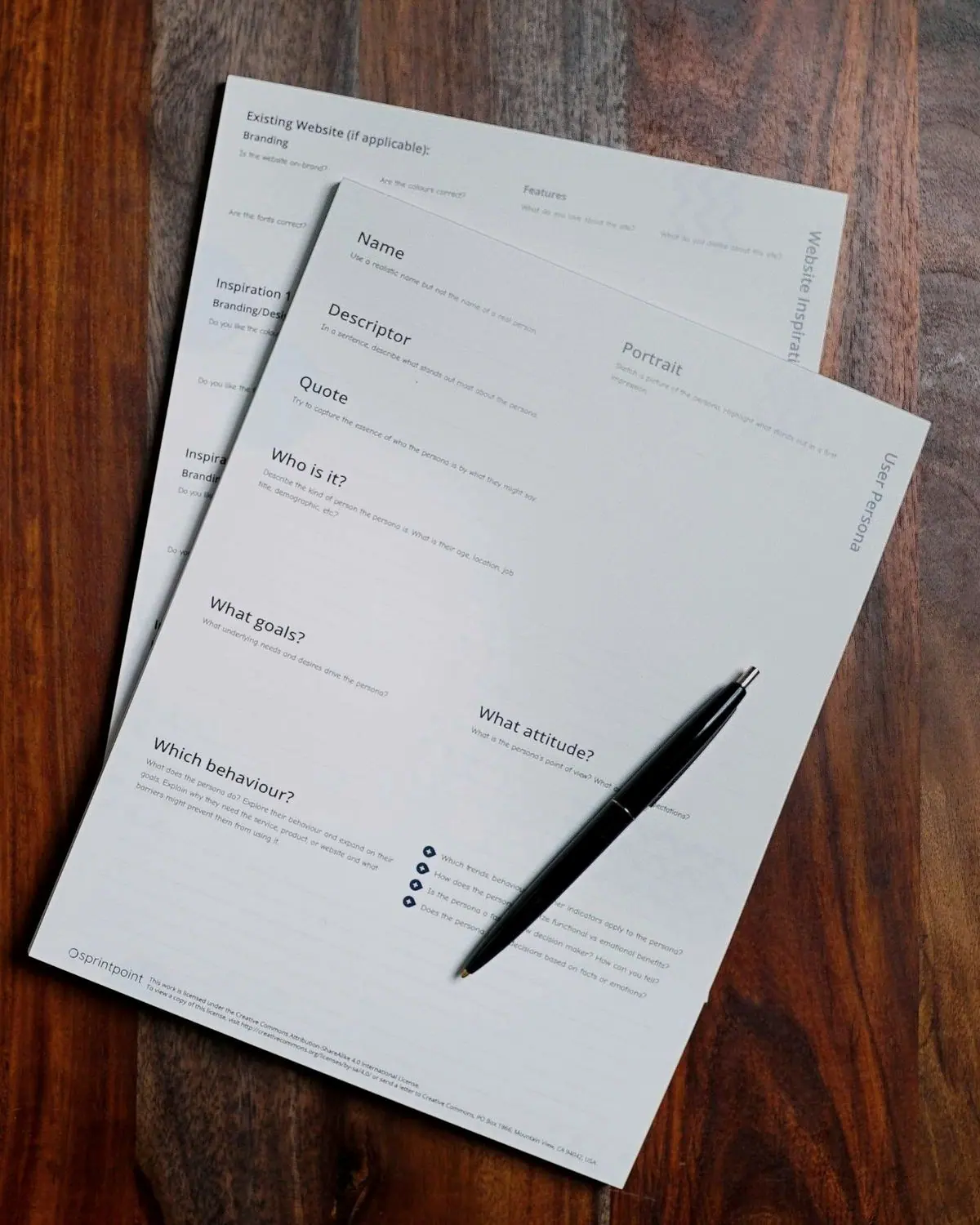
Requests start in email threads. Tax and bank details are retyped from PDFs, and each approver waits for the one before.
Bank accounts change without proof, certificates expire unseen, and a suspended GSTIN goes unnoticed until an invoice is blocked.
PDFs are retyped by hand and matched line by line against the order. Duplicates slip through to the payment run.
“Did you get my invoice?” “When will I be paid?” Every answer means a search through mailboxes and SAP.


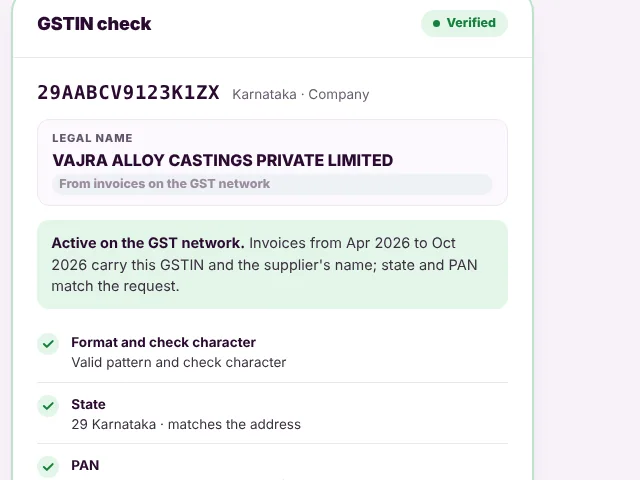
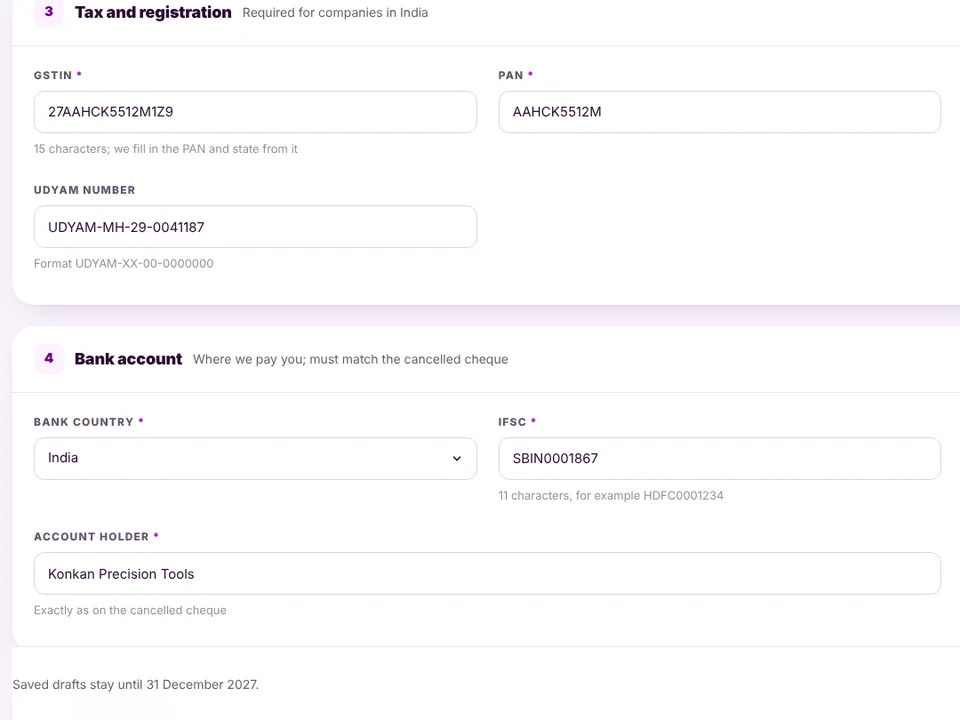
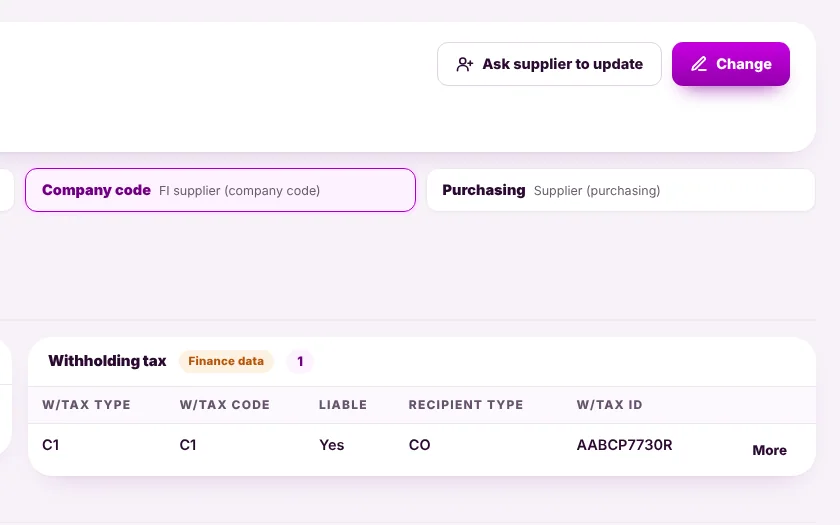
A buyer, or the supplier itself, fills in one guided request. GSTIN, PAN, IFSC and Udyam numbers are checked as they are typed, and finance sees live GSTIN verification from the GST network before it approves.
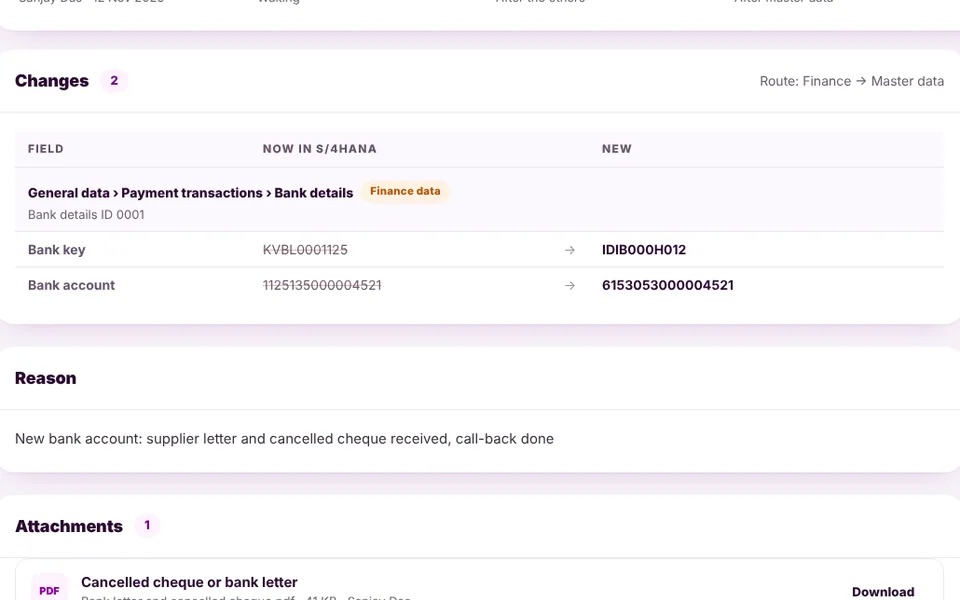
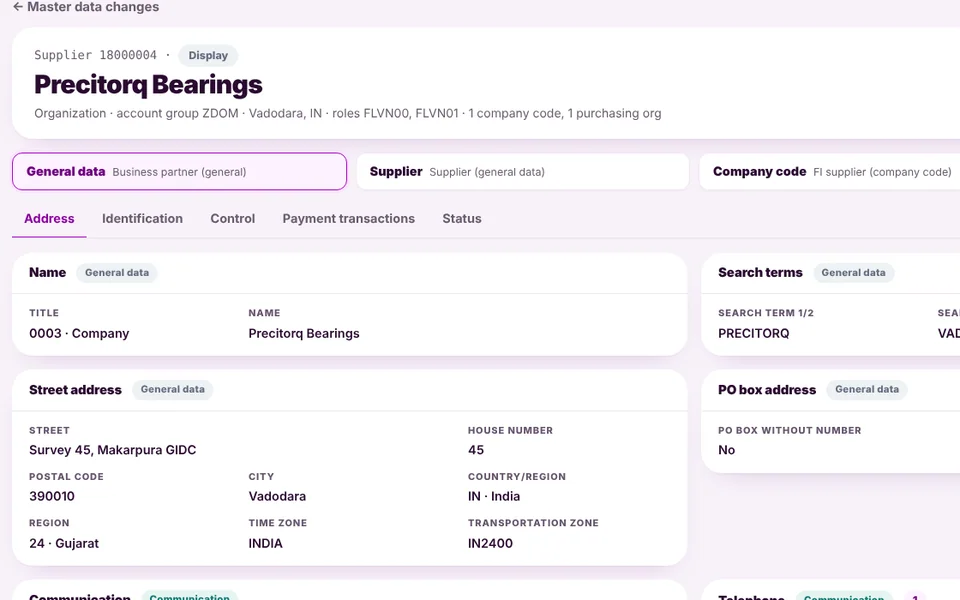
Every change to supplier data is a request, routed by data area and approved before anything reaches S/4HANA. A new bank account cannot be submitted without the supplier’s letter or a cancelled cheque.
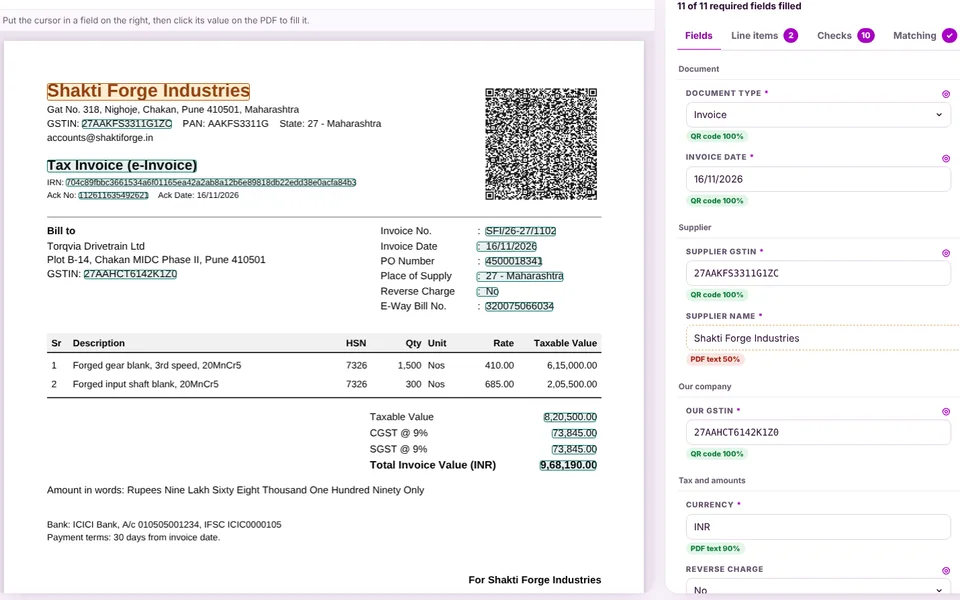
Invoices arrive by email, supplier portal or upload and are read by the capture engine. Every field is highlighted on the PDF, the e‑invoice QR is verified, and clean invoices are matched and posted to S/4HANA with no one touching them.
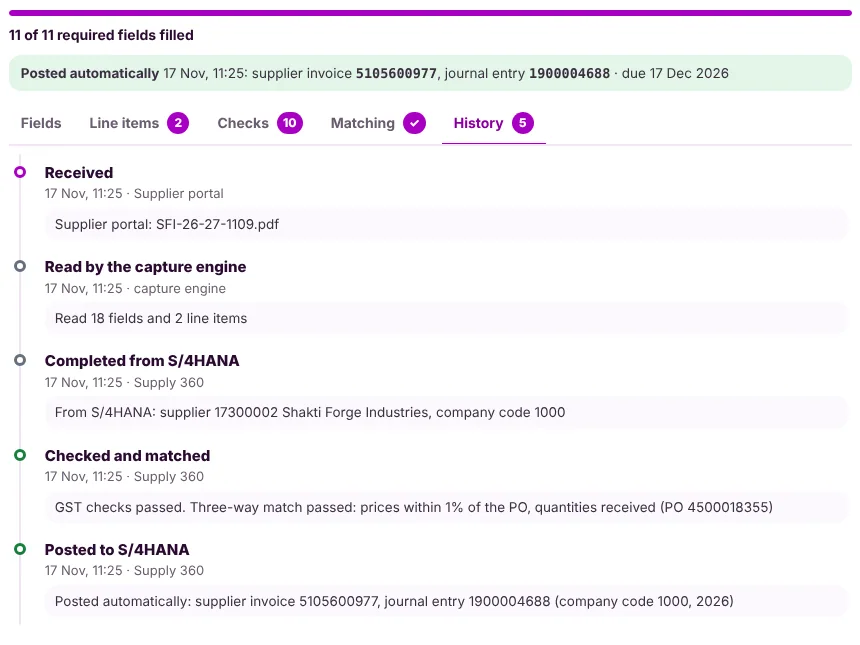
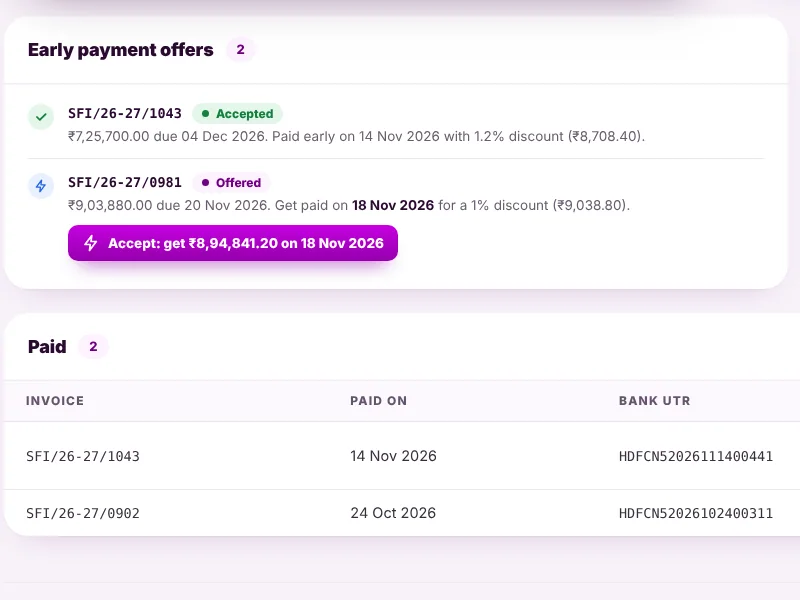
Suppliers upload their own invoices on the portal and watch each one being received, read, matched and approved for payment. Paid invoices carry the bank UTR, with early payment offers next to them.


A guided request, with GSTIN, PAN and bank details checked as they are typed.
A guided request, with GSTIN, PAN and bank details checked as they are typed.

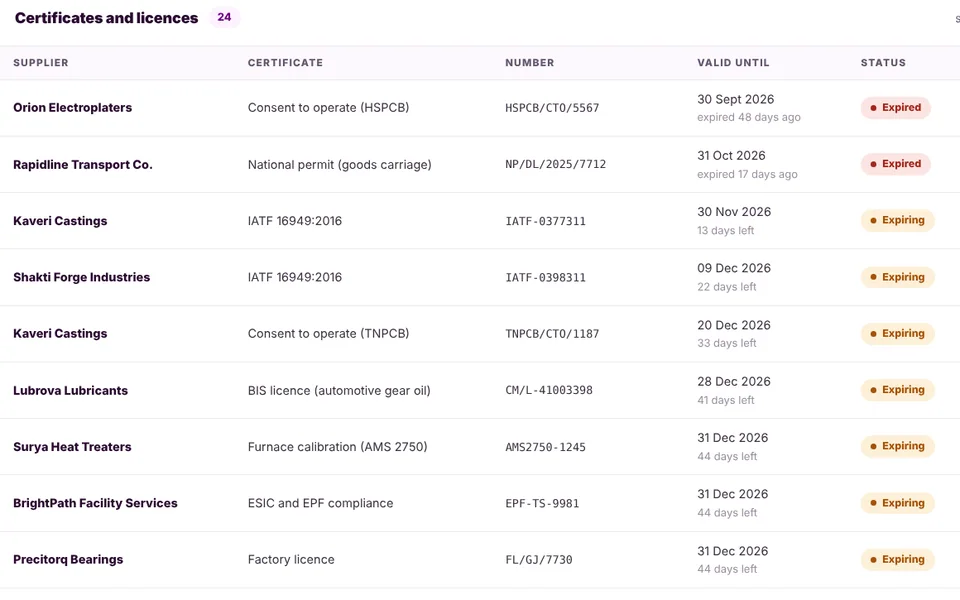
Certificates, GST status and a risk score from five factors, refreshed from the GST network.

Changes to supplier data are requests, approved by data area before they reach S/4HANA.
Suppliers acknowledge purchase orders or propose changes, and pending ones get a reminder.

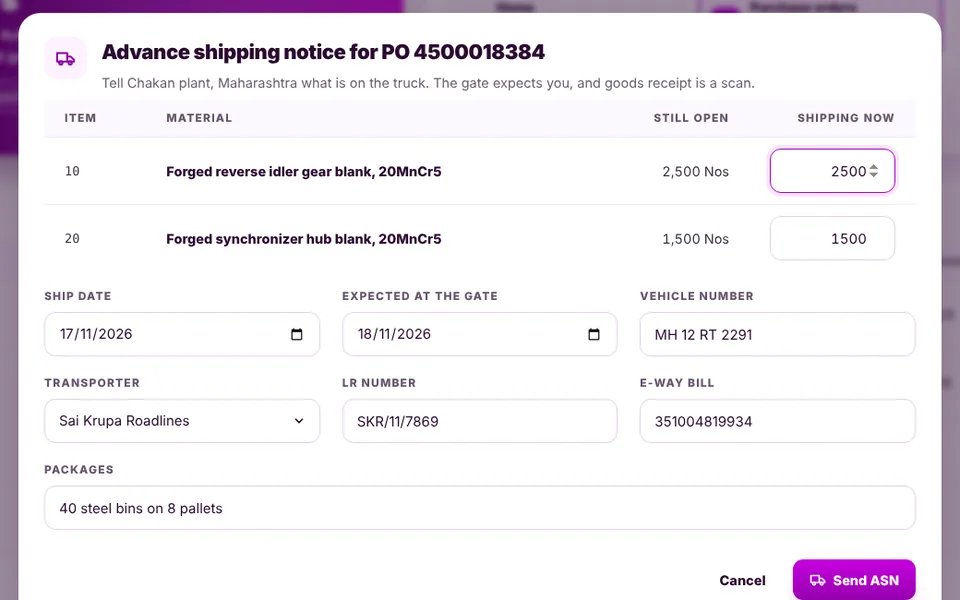
A shipping notice tells the gate what is on the truck, and the goods receipt posts in one step.
Email, portal and upload in one list, with every field read and highlighted on the PDF.

Payment runs, MSME due dates and the bank UTR for every payment.

Monthly scorecards from goods receipts, inspections and invoices, shared with the supplier.
Eight checks, an approval, a block in S/4HANA and the archive.
The supplier portal is the supplier’s own side of every step, read straight from your SAP system.
Each supplier sees only its own data.

Supply360 reads and writes S/4HANA directly through standard APIs, so there is no second supplier master to keep in sync.
Raises supplier requests, follows acknowledgments and keeps purchase orders moving.
Checks bank accounts and tax data, and sees MSME due dates and payment runs in one place.
Tracks certificates, questionnaires and scorecards, and asks for renewals in one click.
Works one invoice list across email, portal and upload, with an owner on every exception.
Approves changes by data area and sees each one written back to S/4HANA.
Register, ship, invoice and follow payments in a portal of their own.
TechOrbit Solutions is an SAP Gold Partner headquartered in Pune. Supply360 is one of its products for SAP customers.
No. SAP S/4HANA stays the system of record. Supply360 runs on SAP BTP as the workspace around it, and reads and writes S/4HANA directly.
No. Suppliers work in the Supply360 supplier portal. A new supplier registers through a secure link and a one‑time passcode sent by email, and each supplier sees only its own data.
In SAP S/4HANA. Supply360 reads and writes the business partner through standard S/4HANA APIs, so there is no second supplier master to keep in sync. Its own records for onboarding, changes and invoices sit in its own services in S/4HANA.
No. Supply360 keeps a clean core. Everything it adds lives in its own services, so SAP standard is left as it is.
They are coded to a GL account and cost centre and approved along a route set by amount, from the cost centre owner to the finance controller and the CFO. Once approved, they post to S/4HANA as invoices without a PO reference.
Yes. Send a supplier a secure link and passcode and it can update its own contact or bank details. Its changes come back as a change request and go through the same approvals before they are written to S/4HANA. A new bank account needs the supplier’s letter or a cancelled cheque.
Tell us about your team and we will walk you through Supply360 with your categories, approval steps and S/4HANA set‑up in mind.
Or write to info@supply360.io.

